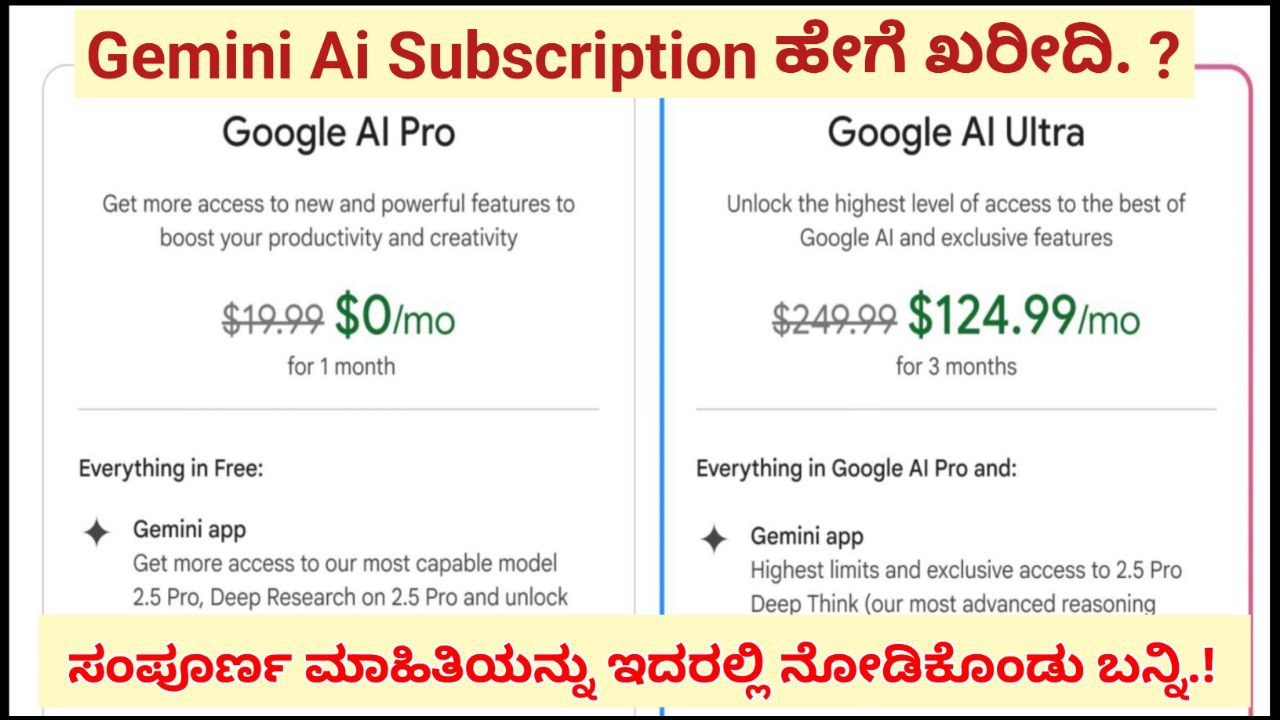
ಪರಿಚಯ
ಇಂದಿನ ಕಾಲದಲ್ಲಿ ಕೃತಕ ಬುದ್ಧಿಮತ್ತೆ (AI) ತಂತ್ರಜ್ಞಾನ ನಮ್ಮ ಜೀವನದ ಬಹುಭಾಗದಲ್ಲಿ ನೇರವಾಗಿ ಕೆಲಸ ಮಾಡುತ್ತಿದೆ.
Google ನಿರ್ಮಿಸಿರುವ Gemini AI (ಹಿಂದಿನ Bard) ಈಗ ವಿಶ್ವದ ಅತ್ಯಂತ ಶಕ್ತಿಶಾಲಿ AI toolsಗಳಲ್ಲಿ ಒಂದಾಗಿದೆ.
Text generation, coding support, summarization, translation, content creation, picture analysis ಮುಂತಾದ ಅನೇಕ advanced features ಅನ್ನು Gemini ನೀಡುತ್ತದೆ.
ಸಾಮಾನ್ಯ free version ಉಪಯುಕ್ತವಾದರೂ Gemini Advanced (Gemini Ultra) ಹಾಗೂ Gemini Pro subscription ತೆಗೆದುಕೊಂಡರೆ performance, accuracy, reasoning, coding, file uploads ಮತ್ತು multimodal AI ಎಲ್ಲಾ ಹಲವರಲ್ಲಿ ಹೆಚ್ಚು ಶಕ್ತಿ ದೊರೆಯುತ್ತದೆ.
ಈ ಲೇಖನದಲ್ಲಿ, ಯಾವುದನ್ನೂ ಕಠಿಣವಾಗದೆ, ಅತ್ಯಂತ ಸರಳವಾಗಿ ಮತ್ತು technical clarity ಜೊತೆಗೆ, Gemini AI Pro ನ ಸಂಪೂರ್ಣ ಮಾರ್ಗದರ್ಶನ ಕೊಡಲಾಗುತ್ತದೆ.
Gemini AI Pro ಎಂದರೇನು?
Google ನ Gemini AI ಸಹಜವಾಗಿ text ಮತ್ತು image prompts ಅನ್ನು process ಮಾಡುವ ಸಾಮರ್ಥ್ಯ ಹೊಂದಿದೆ.
ಆದರೆ free version ನಲ್ಲಿ ಕೆಲವು limitations ಇರುತ್ತವೆ:
- Deep reasoning ಕಡಿಮೆ
- Coding accuracy ಕಡಿಮೆ
- Multi-step problem solving ಕಡಿಮೆ
- Long document analysis possible but limited
- Upload files resolution ಕಡಿಮೆ
- Speed ಕೆಲವು ಸಂದರ್ಭಗಳಲ್ಲಿ slow
- Memory capability ಕಡಿಮೆ
Gemini Advanced/Pro ನಲ್ಲಿ ಕೆಳಕಂಡ ಶಕ್ತಿಗಳು ದೊರೆಯುತ್ತವೆ:
- Gemini Ultra model ಬಳಕೆ (Google ನ ಅತ್ಯಂತ ಶಕ್ತಿಶಾಲಿ AI ಮಾದರಿ)
- Coding ಮತ್ತು debugging ಅತ್ಯಂತ ನಿಖರ
- Long documents (20k+ words) analysis
- Audio, images, PDFs, slides—all processing
- Research-level logical reasoning
- Professional writing tools
- Data analysis
- Speed ಮತ್ತು response quality ಹೆಚ್ಚಾಗುವುದು
- Google Workspace apps (Gmail, Docs, Sheets) ಜೊತೆ AI ಪಡೆಯುವುದು
- Image generation ನಲ್ಲಿ high-quality output
Gemini Pro subscription special ಆಗಿರುವ ಕಾರಣ ಇದು ಸಾಮಾನ್ಯ AI ಗಿಂತ ಹೆಚ್ಚು advanced machine-learning models ಅನ್ನು ಬಳಸುತ್ತದೆ.
Gemini AI Pro Subscription ಪಡೆಯೋಕೆ ಅಗತ್ಯವಿರುವಪದಾರ್ಥಗಳು
Gemini Pro ಪಡೆಯಲು ನಿಮಗೆ ಬೇಕಾಗಿರುವುದು:
- Google Account
- Debit/Credit Card (International payments support ಇರುವದು ಉತ್ತಮ)
- Valid Phone Number
- Internet connection
- Google Play Store (Android ಬಳಸಿದ್ದರೆ)
- Browser (Chrome ಉತ್ತಮ)
Google account ಇರದೇ subscription ಸಾಧ್ಯವಿಲ್ಲ. ಏಕೆಂದರೆ subscription ನಿಮ್ಮ Google ID ಗೆ link ಆಗಿರುತ್ತದೆ.
Gemini AI Pro Subscription Plans
Gemini Pro/Advanced ಸಾಮಾನ್ಯವಾಗಿ Google One ಗುರುಪದದೊಳಗೆ ಸಿಗುತ್ತದೆ.
Package ಸಾಮಾನ್ಯವಾಗಿ:
- Gemini Advanced
- 2TB Google Drive storage
- Google Photos features
- Extra backup benefits
Google pricing ದೇಶಕ್ಕನುಗುಣವಾಗಿ ಬದಲಾಗುತ್ತದೆ.
ಭಾರತದಲ್ಲಿ ಸಾಮಾನ್ಯವಾಗಿ ಇದು monthly plan ಅಥವಾ yearly plan ರೂಪದಲ್ಲಿ ಸಿಗುತ್ತದೆ.
Gemini AI Pro ಅನ್ನು ಪಡೆಯೋದು – Step-by-Step ಮಾರ್ಗದರ್ಶಿ
ಕೆಳಗಿನ ವಿಧಾನವನ್ನು Android, iPhone, ಅಥವಾ Laptop ಯಾವುದರಿಂದಲೂ ಮಾಡಬಹುದು.
ನಾನು ಮಾನವೀಯವಾಗಿ, technical ಹಾಗೂ ಸ್ಪಷ್ಟವಾಗಿ ವಿವರಿಸುತ್ತೇನೆ.
1. Google Chrome browser open ಮಾಡಿ
Gemini AI best ಕೆಲಸ ಮಾಡುವದು Chrome ನಲ್ಲಿ.
Browser open ಮಾಡಿ ಈ ವಿಳಾಸಕ್ಕೆ ಹೋಗಿ:
gemini.google.com
ನೀವು Google account ಮೂಲಕ login ಆಗಿರಬೇಕು.
Login ಆಗದೇ ಇದ್ದರೆ “Sign in” option ಕಾಣುತ್ತದೆ.
2. Menu ನಲ್ಲಿ “Get Gemini Advanced” / “Upgrade” ಆಯ್ಕೆ ಹುಡುಕಿ
Gemini homepage ನಲ್ಲಿ:
- Left side menu
- ಅಥವಾ top right side settings icon
- ಅಥವಾ “Try Gemini Advanced” banner
ಈಗಳಲ್ಲಿ ಒಂದು ಕಾಣುತ್ತದೆ.
ಅದರ ಮೇಲೆ ಕ್ಲಿಕ್ ಮಾಡಿ.
ಇದು ನಿಮ್ಮನ್ನು Google One subscription page ಗೆ ಕರೆದುಕೊಳ್ಳುತ್ತದೆ.
3. Google One Plans ಕಾಣುತ್ತದೆ
Gemini Advanced Google One plan ಒಳಗೆ ಸೇರಿರುತ್ತದೆ.
ಅಲ್ಲಿ ಸಾಮಾನ್ಯವಾಗಿ plans ಹೀಗಿರಬಹುದು:
- 2TB Storage + Gemini Advanced
- 5TB Storage + Gemini AI
- 10TB/20TB professional plans
ನಿಮಗೆ ಬೇಕಾದದು ಮೂಲಭೂತವಾಗಿ 2TB + Gemini Advanced.
ಅದನ್ನು select ಮಾಡಿ.
4. Payment Method ಆಯ್ಕೆ ಮಾಡುವುದು
Payment options:
- Credit Card (Visa / MasterCard / American Express)
- Debit Card (international transactions ON ಇದ್ದರೆ)
- UPI (ಕೆಲವೊಮ್ಮೆ country-based support)
- Net banking (ಸಂಭವ, ಆದರೆ ಎಲ್ಲಾ ದೇಶಗಳಲ್ಲಿ ಅಲ್ಲ)
- Google Play balance (ಕೆಲ ಸಂದರ್ಭಗಳಲ್ಲಿ)
Debit Card ಬಳಸುವವರು ensure ಮಾಡಬೇಕಾದ್ದು:
- International usage ON
- Online payments ON
- SMS OTP support ಇರಬೇಕು
5. Billing Address Confirm ಮಾಡಿ
Google One subscriptionಗೆ billing address (ವಾಸಿಸುವ ದೇಶದ address) ಬೇಕಾಗುತ್ತದೆ.
ಸಾಮಾನ್ಯವಾಗಿ:
- Name
- Address
- PIN/Zip code
- Phone number
Fill ಮಾಡಿ Next ಮೇಲೆ ಕ್ಲಿಕ್ ಮಾಡಿ.
6. Payment Confirm ಮಾಡಿ
OTP ಬರುತ್ತದೆ → Enter ಮಾಡಿ → Process complete.
Payment complete ಆದ್ಮೇಲೆ:
- Gemini Advanced activated
- Google One 2TB activated
- Subscription details mail ಗೆ ಬರುತ್ತದೆ
ನೀವು ಈಗ Gemini Pro/Advanced ಬಳಸಲು ಸಿದ್ಧ.
Gemini Pro Subscription ಸಕ್ರಿಯವಾಗಿದೆ ಎಂದು ಹೇಗೆ check ಮಾಡುವುದು?
ಎರಡು ವಿಧಾನಗಳು:
ವಿಧಾನ 1: Gemini ನಲ್ಲಿ
Gemini homepage → Profile icon →
“Gemini Advanced active” ಎನ್ನುವ label ತೋರಬಹುದು.
ವಿಧಾನ 2: Google One app ನಲ್ಲಿ
Google One app → Home →
Your plan → Gemini Advanced shown.
Subscription activation 10–20 seconds ತೆಗೆದುಕೊಳ್ಳಬಹುದು.
Gemini AI Pro ಅನ್ನು ಬಳಸೋದು ಹೇಗೆ?
Subscription ಸಕ್ರಿಯವಾದ ಮೇಲೆ ನೀವು ಈ advanced features ಬಳಸಬಹುದಾಗುತ್ತದೆ:
1. Advanced reasoning
ಲಾಂಗ್ articles, research, technical breakdown—all ಸೂಕ್ಷ್ಮವಾಗಿ analyze ಮಾಡುತ್ತದೆ.
2. Coding support
- Python
- Java
- C++
- Web languages
- API creation
- Debugging
ಎಲ್ಲದಲ್ಲಿ professional quality support ಇರುತ್ತದೆ.
3. Long document analysis
- 100 pages PDF
- Research papers
- PPTs
- Contracts
- Reports
ಎಲ್ಲ upload ಮಾಡಬಹುದು.
4. Image + Text multimodal support
Photo upload ಮಾಡಿ:
- Analyse ಮಾಡಿ ಕೇಳಿ
- Errors ಕಂಡುಹಿಡಿಯಿರಿ
- Ideas generate ಮಾಡಿ
- Designs create ಮಾಡಿ
ಹೆಚ್ಚಿನ resolution ಮತ್ತು detail.
5. Content creation high-quality
- Articles
- Social posts
- Scripts
- Book writing
- Clarity editing
- Professional tone
Gemini Ultra model free versionಗೂ ಹೆಚ್ಚು accurate ಮತ್ತು natural.
6. Google Docs, Gmail integration
Docs ನಲ್ಲಿ AI help, Gmail ನಲ್ಲಿ email drafts—all professionally.
Gemini Pro Subscription Cancel ಮಾಡುವದು ಹೇಗೆ?
Subscription cancel simple:
Method (Mobile / Laptop):
Google One → Settings → Manage Subscription → Cancel membership
Cancel ಮಾಡಿದ್ಮೇಳೆ ನಿಮ್ಮ billing next cycle ನಲ್ಲಿ stop ಆಗುತ್ತೆ.
ಆದರೆ Gemini free version ಬಳಸಲು ಮತ್ತೆ ಸಾಧ್ಯ.
Subscription ತೆಗೆದುಕೊಳ್ಳುವ ಮುಂಚೆ ತಿಳಿದುಕೊಳ್ಳಬೇಕಾದ ಮುಖ್ಯ ವಿಷಯಗಳು
1. Device requirement
Gemini advanced phone, tablet, PC ಎಲ್ಲದಲ್ಲಿ ಕೂಡ ಕೆಲಸ ಮಾಡುತ್ತದೆ.
Browser latest ಆಗಿರಬೇಕು.
2. Internet speed
Slow internet ಇದ್ದರೆ responses ಕೂಡ slow ಆಗಬಹುದು.
3. Regional support
ಕೆಲ ದೇಶಗಳಲ್ಲಿ Gemini Ultra features ಸಂಪೂರ್ಣ ಸಪೋರ್ಟ್ ಇರುವುದಿಲ್ಲ.
ಆದರೆ ಭಾರತದಲ್ಲಿ Google One plan + Gemini Advanced support ಇದೆ.
4. Card compatibility
ಕೆಲ Indian debit cards work ಮಾಡೋದಿಲ್ಲ.
Credit card always perfect.
5. Privacy & Data
Google Gemini training ಗೆ ನಿಮ್ಮ personal data ಬಳಸೋದಿಲ್ಲ.
Prompts private ಆಗಿರುತ್ತವೆ.
ಹೀಗಾಗಿ safe.
Gemini Pro ಮತ್ತು Free Version ನಡುವಿನ ವ್ಯತ್ಯಾಸ (Technical Comparison)
| Feature | Free Gemini | Gemini Pro/Advanced |
|---|---|---|
| Model | Gemini Nano/Pro Basic | Gemini Ultra |
| Reasoning | Normal | Deep analysis |
| Coding | Moderate | High accuracy |
| PDF analysis | Limited | Full multi-file |
| Images | Basic | High resolution |
| Speed | Normal | Fast priority |
| Accuracy | Medium | High |
| Workspace AI | Not available | Fully available |
| Memory | Limited | Enhanced contextual memory |
Gemini Pro ಬಳಸಿದ್ಮೇಲೆ free version ಗೆ ಹಿಂತಿರುಗುವುದು ಕಷ್ಟ.
Performance ವ್ಯತ್ಯಾಸ ಸ್ಪಷ್ಟ.
Subscription ತೆಗೆದುಕೊಳ್ಳುವುದು ಯಾರು?
ಕೆಳಗಿನವರು Gemini Pro ತೆಗೆದುಕೊಳ್ಳೋದು ಸರಿ:
- Students
- Assignments
- Research
- Learning tools
- Developers
- Coding
- Bug fixing
- APIs
- Content creators
- Articles
- Scripts
- Ideas
- Office professionals
- Email drafting
- Reports
- Presentations
- Designers
- Image prompts
- Creative ideas
- Business owners
- Marketing
- Documents
- Analysis
Gemini Pro practically productivity 3x–10x ಹೆಚ್ಚಿಸುತ್ತದೆ.
ಉಪಸಂಹಾರ
ಹೀಗಾಗಿ, Gemini AI Pro/Advanced subscription ತೆಗೆದುಕೊಳ್ಳುವುದು ಸಾಮಾನ್ಯ ಬಳಕೆದಾರರಿಂದ ಹಿಡಿದು ವಿದ್ಯಾರ್ಥಿಗಳು, developers, content creators, office professionals, business owners ಎಲ್ಲರಿಗೂ ಒಂದು ದೊಡ್ಡ plus point ಆಗುತ್ತದೆ. Google One plan ಮೂಲಕ activation ಮಾಡಿದ್ಮೇಲೆ, ನೀವು ಪಡೆಯುವ Gemini Ultra model ನ processing power ನಿಮ್ಮ ಪ್ರತಿದಿನದ ಕೆಲಸಗಳನ್ನು ಮಾತ್ರ ವೇಗವಾಗಿಸುವುದಲ್ಲ, ಇನ್ನೂ ಹೆಚ್ಚು intelligent ಮತ್ತು smart ಆಗಿ ಪೂರ್ಣಗೊಳಿಸುತ್ತದೆ.
AI ನಿಮ್ಮ ಕೈಗೆ ಬಂದ ಸಾಧನವಲ್ಲ; ಇದು ನಿಮ್ಮ productivity, creativity ಮತ್ತು problem-solving ಶಕ್ತಿಯನ್ನು ಅನೇಕ ಪಟ್ಟು ಹೆಚ್ಚಿಸುವ ಸಹಾಯಕ. ವಿಶೇಷವಾಗಿ ದೊಡ್ಡ PDFಗಳ ವಿಶ್ಲೇಷಣೆ, deep reasoning, complex coding, advanced writing, brainstorming—ಇವೆಲ್ಲವನ್ನು Gemini Pro professional ಮಟ್ಟದಲ್ಲಿ ನಿರ್ವಹಿಸುತ್ತದೆ.